Showing posts with label how tos. Show all posts

Thursday, 10 November 2022

How to use Paint.net for online gaming!

 I use paint.net a lot for the games I run online (When runing KriegHamemer for example: http://lizardmandiaries.blogspot.com/search/label/Krieghammer ). Here is a little tutorial for those that might be afraid of image editing software because it is actually very simple, easy, fun and also useful for games! I hope you find the guide helpful! 

  • Download Paint.net from: https://www.getpaint.net/
  • Install it, etc. 
  • Start playing a game, realize you need a map, or image. Open Paint.net.
  • Start a new image. I don't know much about image sizes and resolutions, and just always put the resolution at 300 pixels/inch 
  • Now the fun starts! 
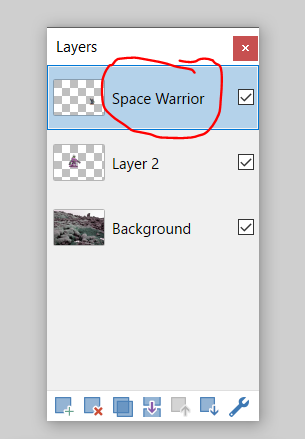
  • The above image is for "layers". Layers are very important and useful. Things down the bottom of the layer list appear behind things above them on the layer list. Something at the bottom of the list would be the background of the image. 
  • Decide what background you need! Lets go for "Lava Field". To a google image search for a lava field, find an image you like, then right click it and copy the image, then go back to paint.net and control-v or paste the image! 
  • Depending on the size of the image, Paint.net might ask you if you want to add the image as a new layer. You want to always do this! 
  • Now we want to add a new layer regardless, to put some stuff onto this lava field! 
  • Click the button circled in red in the image above, to add a new layer. 
  • Find an image of something you want to put in the lava field. I am going to google "Games Workshop Monster" in google image search to find something. 
  • When you find something, copy and paste it as above, into your new layer. 
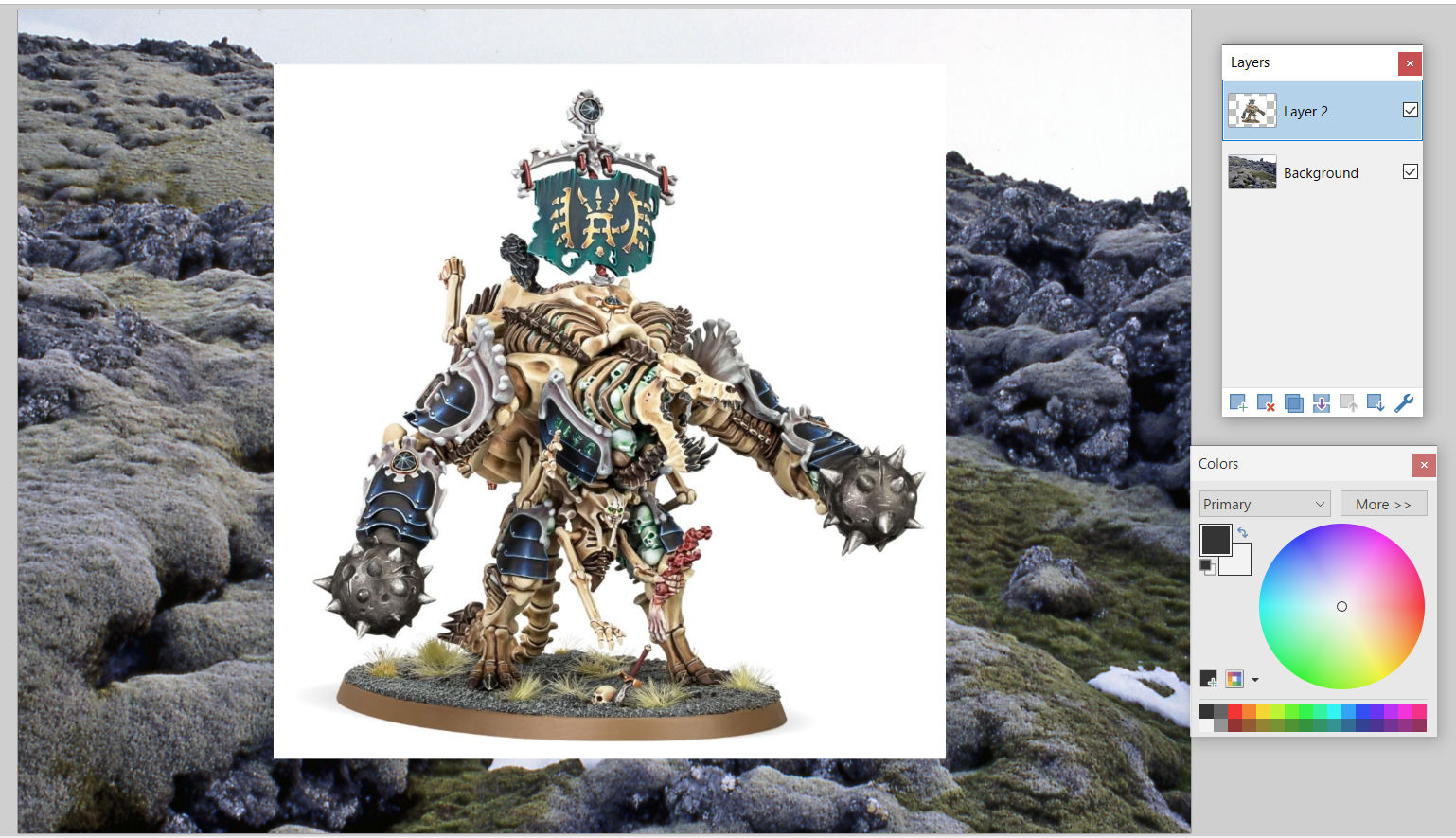
  • Now we want to get rid of all that awful white space that ruins our image! 
  • Click the button circled in red above, this is the magic wand tool. It selects everything of the same colour on a layer. 
  • Make sure you are on the layer with the image with the colour you want to get rid of then click it with the magic wand tool. It is now selected. Press Delete to get rid of that colour ! 
  • Fiddling around with the "tolerance", circled in red above, can help pick up more/less of the colour you want to remove. 
  • Holding SHIFT and clicking with the magic wand selects ALL of the colour selected in the layer. 
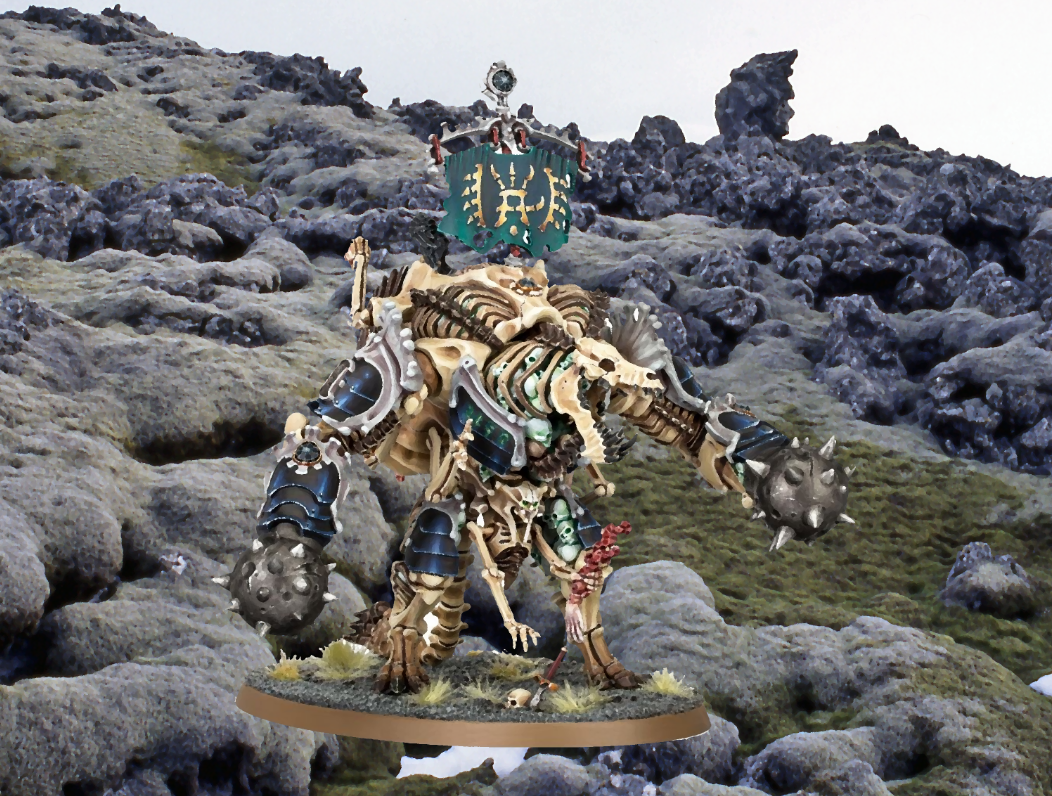
  • I use the "oil painting" effect in, the Effects > Artistic menu to quickly sort of...smooth out disparate images so they kind of look like they are in the same universe. You have apply this to each layer. 
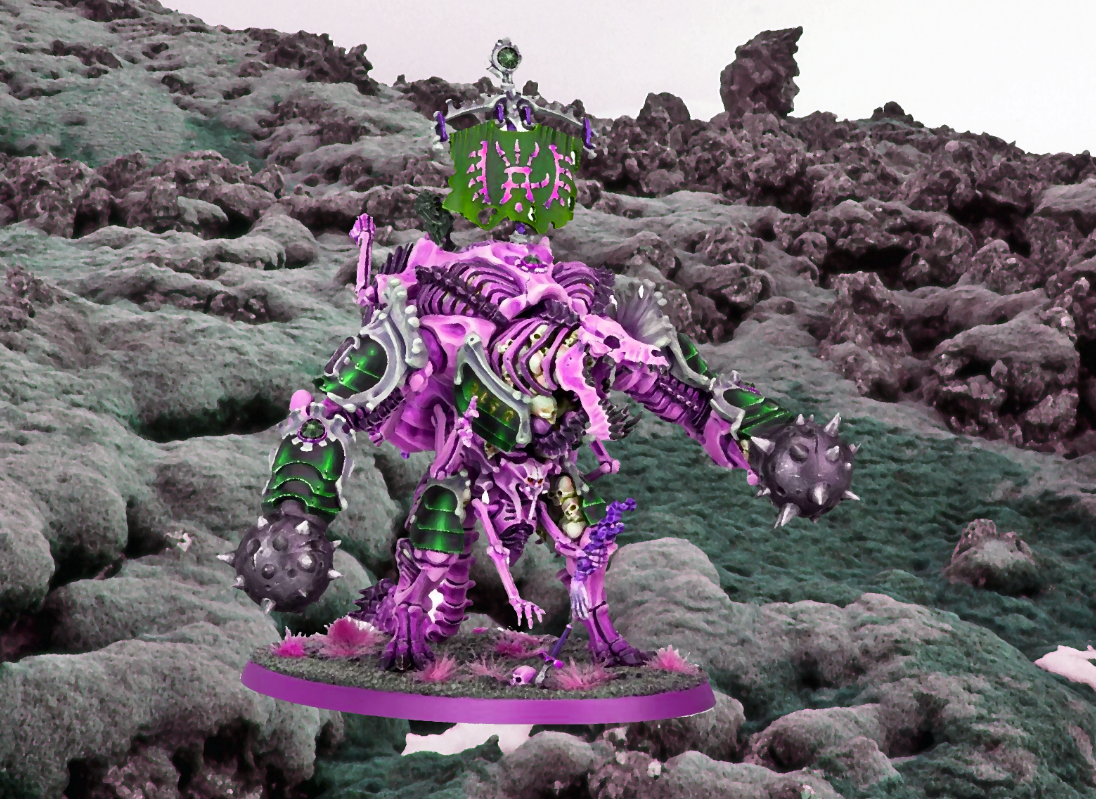
  • You can use the Hue/Saturation options in "Adjustments" menu to quickly change the colour of something, make it more lurid/stand out more/less. It only applies to the current layer you are on. 
  • You select things on a layer with the tool circled in red. And then you can move them around/resize them with the tool highlighted yellow (in the image above). Hold SHIFT when resizing things to make them keep the same dimensions! 
  • Add as many things to your image with new layers as you like! 

  • Double click the red circled section in the image above to rename a layer. Very useful for when you lots of layers! 
  • Arrange and create image as you need! 
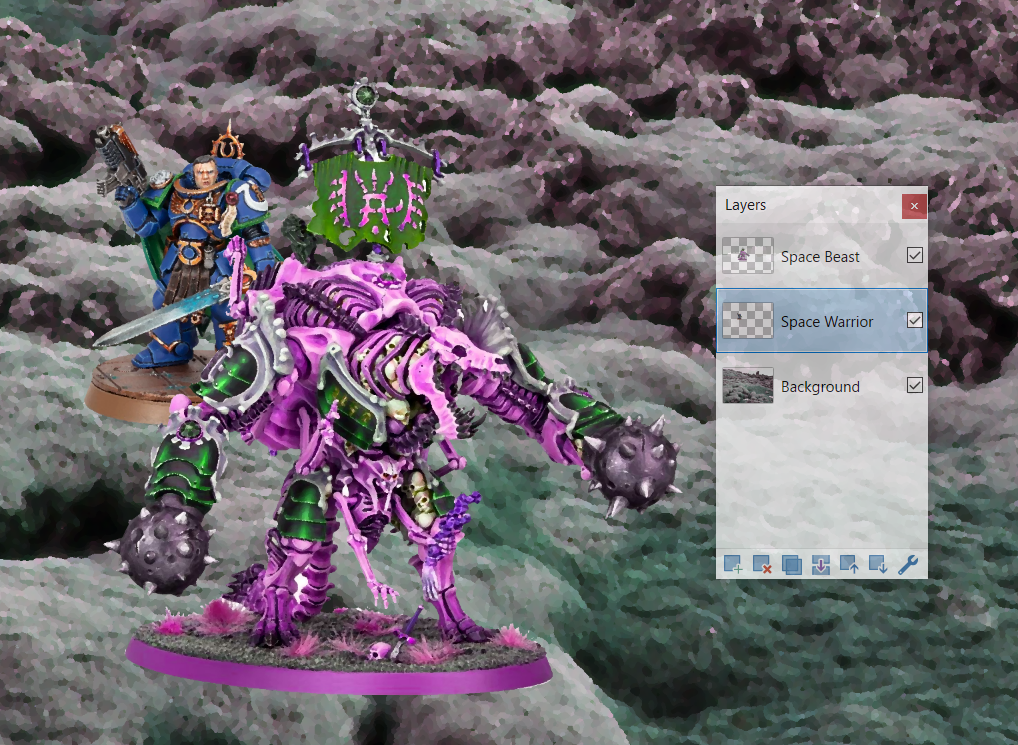
  • When you are feeling daring start mucking around with blurs and such things! 
  • Before I forget! Use the "Snipping tool" (on windows) to quickly take little snippets of images that are on your screen, and then use CONTROL-C and CONTROL-V to copy and paste it where ever you need it (Discord for example!). 

Sunday, 18 September 2022

One Handed Hex Map Stocking

Oh no! You're on a bus or train or something on the way to run a fantasy tabletop game and you forgot to prepare anything! And you only have your mobile phone on you! Plus, one of your hands has been incapacitated for some reason?! 

Never fear, use this methodology for quickly whipping up a little hex crawl: 

Get a blank google text doc! 

Whack a empty hex map in it: 


Go to this website to get a random magic the gathering card:  https://scryfall.com/random

Use the method below! Writing your results into that blank google text doc! 

  • Basic Stock pass 

    • Pull a card, that's what's there in an area of the map, pull more than one card and combine if you want 

    • Keep doing this until you are bored /fill the map 

  • History pass 

    • Pull a card, that thing travels across the land doing what you think it would, starting and ending where you think is most appropriate 

    • It leaves behind items, environments, new places, factions, etc 

    • Do this again until you are bored

  • Present pass 

    • Pull a card, this is an important thing in the area, doing what you think it would, being fought over by who you think it would, it is located where you think is most appropriate 

    • Do this again until you are bored

  • Loose ends pass 

    • See if you can connect any of the extant elements that exist in interesting ways 

    • Do this until you are bored

  • Hero pass 

    • Pull a card, this is an important sentient being, it travels across the land doing what you think it  would, starting and ending where you think is most appropriate

    • It leaves behind items, new places, factions, etc 

    • Do this again until you are bored 

  • Shuffle pass

    • Re do any of above passes as you see fit / are entertained by 

  • Player pass 

    • Put some player characters into the world and see what happens. Maybe they play a hero… or something else?! Pull a random card to determine this if you are brave enough!!! 

  • Conflict 

    • Assume most things are successful in what they attempt, favour the active, roll a dice if not sure, highest roll wins! 


Good luck with your game!


Saturday, 11 September 2021

How I Write Generators

Chris Mennell (https://linktr.ee/chrismennell) asked me to do a post about my methods for creating random tables/generators. Here it is! 

(Note: I use the terms tables/generators pretty interchangeably but in general a table is a list of random results and a generator is a combination of random lists). 

Why tables/generators? Some quick thoughts: 
  • They help you think up things that you wouldn’t think up otherwise by making you put together unusual combinations. This in turn makes your games more interesting because you will put in things in your games you wouldn’t otherwise (I know my games would just be filled with slugs and crystals and caves if I didn’t use random generators/tables). 
  • I think that the process of rolling on a few random tables (in the case of a generator) makes the thing you are generating come alive better in your brain better than if you just read about that thing as a simple table entry. The components all gluing together in real time makes it a bit more lifelike to play with. 
  • Using a generator rather than a premade thing makes the game interesting for the referee as new things come into being as they run/plan – rather than having everything prewritten. 
  • This one is a little woowoo but, in some ways I like generators as a divination tool – the game world is literally existing somewhere in the multiverse and the table is the crystal ball that lets you see through to that world.    

On to how I create generators. Some more thoughts: 
  • I’m always referring to my “Aspects” table, which is the “periodic table” of my generators. Having something like this is very useful because whatever topic you are making a generator or table for, it gives you a base guide for ideas. For example: I am going to make a generator for different landscape and need some ideas. I can go to the aspect table and use the d40 results there as ideas for 40 different places. Eg, “Death, rot, decay” = Charnel Grounds. “Darkness, shadows, loss” = Graveyard. “Value, Gems, Gold” = Bank or Mineral Deposit. I think its well worth creating your own periodic table of gaming motifs that works for you! (I explore this idea a little more in this post: http://lizardmandiaries.blogspot.com/2021/07/the-automated-past-and-present-atomic.html .
  • Having several tables in a generator gives you a lot more bang for your buck than a single table of results. You get weirder combinations and a lot more results for a lot less writing. Because of this I think its best to try and get the individual table results as broad and interpretive as possible (while still maintaining as much usability as possible). If things are too specific they won’t work with the other results on the other tables and that’s a waste. The other good thing about being broad is that you may interpret the table results differently on different days/when you are a different mood. Even more bang for your buck! Further, keeping things broad allows them to be interpreted differently in different contexts. “Earth, Stone, Soil” means a different thing if you get that result inside a building than if you rolled out in a city street, and different again if the result is rolled out in the woods.
  • Kind of straight forward but the more entries you have on the component tables of your generators the bigger the range of result you will get. 6 x 6 is 36. 6 x 6 x 6 is 216. 12 x 12 x 12 is 1728. 20 x 20 x 20 is 8000. 36 x 36 x 36 is 46656. 36 x 36 x 36 x 36 is 1,679,616! You get the idea.

Building the generator. Thoughts and example: 

  • Generally, I start with a base table. Whatever I am trying to make a generator for, I boil it down to its most basic component part. From there I can add different tables to warp that baseline thing. For a monster I want to know what its general shape is. This might be two tables – perhaps the same list but you roll twice and combine – giving you things like Chicken+Tiger or Snail+Elephant – this is a weirder and more monstrous and has more details for your brain to play with then just Chicken or Tiger or Snail or Elephant. Then I like to know the aesthetics of a thing – what is unique about the thing visually. Sticking with our Snail+Elephant we might roll Flame or Ice or Bones then we have Snail+Elephant+Flame for example. Finally, I would want a table that goes beyond just its visual appearance, what does this monster want, or what does it do, etc. The more details the better. Well, to a point, you don’t want the table too unwieldy that the details just overrule each other and the whole thing collapses in on itself in your brain. 4 or 5 results seems about right to me.
  • For the example structure for a generator, I’ve been in need of a basic hex stocker for a while now, so I shall use that.
  • Because I don’t have it in me to do a d40 tables for every part of the generator I have ripped one column from my aspect table and will use that as an inspiration for a bunch of d10 tables. Hopefully you can see how I used each of these as a base for inspiration in the other tables.   

Here are the tables I think would come together to make a nice hex or area generator: 

d10 Base area: The overall climate/region/biome/etc. Could possibly roll on this twice and combine the results for a more unique area. 

1. Misty, cloud capped mountains. 
2. Huge, thunderous, flowing river. 
3. Thick, enveloping, luscious jungle. 
4. Empty, desolate and echoing tundra. 
5. Frozen, snow filled arctic wasteland. 
6. Building and street filled town. 
7. Glassy, still and reflective lakeland. 
8. Crashing wave, cliff filled coastland. 
9. Ancient, dusty and long forgotten ruins. 
10. Dead lifeless tree and refuse filled rotland. 

d10 Area aesthetics: How does this area look different to other areas? You could roll on this table twice for more interesting/weird area. 

1. Glorious clouds, rays of blessed sunlight, calming golden fogs. 
2. Heavy rain, grey clouds, flooding, lightning. 
3. New growth or construction, fresh, glowing, young, vibrant. 
4. Shining, metallic, reflective, glass, clean, sterile. 
5. Mud, encasement, caught and captured by things overgrown. 
6. Warped, mutated, wrong, bizarre, things too big or small and infected. 
7. Wide open, clear vistas, stars, the horizon, vision. 
8. Broken, destroyed, collapsed, ruined, crevices, cracks.  
9. Dust, sand, aged, ancient, bones and fossils. 
10. Rotten, diseased, unhealthy, smoke, ash, skulls. 

d10 Area stocking: What is in this area? Roll twice on this table twice and combine to get a more lively area. 

1. A group of people.
2. Significant building or structure. 
3. Beasts. 
4. Significant vegetation. 
5. Something particularly unusual.  
6. Nothing. 
7. A group of people.  
8. Treasure. 
9. Beasts. 
10. Significant vegetation. 

d10 Area atmosphere: What is the vibe of this area? Again rolling twice would yield a more interesting result (but perhaps the combinations may be a bit too esoteric to be immediately useful. Peaceful war? Frozen regrowing?) 

1. Peaceful – all is calm.
2. At war – all is conflict. 
3. Regrowing – things are getting better. 
4. Repeating – things are caught in a loop 
5. Frozen – things are held in place. 
6. Chaos – all is disorder. 
7. Ominous – conflict is looming. 
8. Tense – things are close to chaos or conflict. 
9. Venerable – things have been here a very long time. 
10. Diseased – things are sick and dying. 

  • Further, just to ensure the generators usefulness I would include generators for each of the stocking results. For each unique stocking result I would have three or four  tables, Base, Aesthetics and Desire and/or Power . 
(I think I would roll twice and combine on all of these). 

d10 People Base: 

1. Religious order 
2. Explorers 
3. Farmers 
4. Philosophers
5. Soldiers 
6. Chaos cultists 
7. Prophecy seekers 
8. Destroyers 
9. Historians 
10. Illness carriers 


d10 Structure Base:

1. Stupa 
2. Mill 
3. Farm 
4. Tower 
5. Fortress 
6. Laboratory 
7. Church 
8. Mine 
9. Library 
10. Graveyard 

d10 Beast Base: 

1. Jellyfish
2. Crow
3. Snake 
4. Cat
5. Spider 
6. Amoeba 
7. Bear 
8. Porcupine 
9. Beetle 
10. Fly 

d10 Vegetation Base: 

1. Lotus 
2. Weeds
3. Flower
4. Mushroom
5. Vines 
6. Cacti 
7. Trees
8. Roots 
9. Huge trunk trees
10. Mould 

d10 Treasure Base: 

1. Cushion
2. Potion 
3. Sapling 
4. Mirror 
5. Amulet 
6. Blessing
7. Armour 
8. Weapon 
9. Book
10. Relic 

Detail tables for bases: 

d10 Aesthetic:  

1. Golden fog and enveloping cloth.  
2. Wet grey damp and leather.   
3. Green tendrils and fresh things.  
4. Reflective, malleable metal. 
5. Rusted, cumbersome metal.  
6. Tuberous growths and weird patterns. 
7. Spikes and spines. 
8. Cracks, rags and tatters. 
9. Venerable, grand and ornate. 
10. Bones and rot. 

d10 Desire: 

1. To have Peace everlasting. 
2. Constant movement and novelty. 
3. Constant reproduction. 
4. To have others understand them. 
5. To capture others (to enslave, eat, etc). 
6. To constantly warp and corrupt other things. 
7. To ensure order and things foretold are maintained. 
8. To destroy everything. 
9. To record and know all things. 
10. To bring death and disease. 

d10 Power : 

1. Calm and stupor inducement. 
2. Speed and swiftness. 
3. Life giving and regrowing. 
4. Reflection and mimicry. 
5. Capturing and freezing. 
6. Burning and changing. 
7. Foreseeing and far sight. 
8. Breaking and slicing. 
9. Remembering and recalling. 
10. Killing and silencing. 

Combine everything and you should a little interesting to have some adventure in! Note: Use the “Atmosphere” table to get some insight on the stocking results. Further, I would highly recommend “automating” any tables/generators you use in HMTL using this posthttp://meanderingbanter.blogspot.com/2018/09/automatic-list-to-html-translator.html